
Guidance from a yoga master for sustainable game development work
Most days in game development are not defined by a single moment of inspiration. They are defined by long stretches of sitting, reading engine documentation, reading other people’s code, debugging a single line that breaks a particle system, writing design notes for a feature that will not ship for months, and answering a steady stream of messages about milestones. The body absorbs that pattern long before the mind does. A stiff neck, shallow breathing, eye fatigue, and lower-back tightness are not signs of weakness. They are predictable responses to a workflow that asks the same muscles to hold the same position for hours. Guidance from a yoga master is useful here because yoga is, at its core, a practice of noticing posture, breath, and tension, and then changing them on purpose. The same noticing skills that let a teacher correct a student’s triangle pose apply to a developer correcting a slouched seat, a held breath, and a locked shoulder.
This article translates that guidance into a developer context. It looks at breathwork, seated posture, wrist and forearm care, eye fatigue, micro-break sequencing, and how to design a studio or home setup that supports the work rather than fighting it. The goal is not to turn game developers into yogis. The goal is to protect the attention, hands, and back that the production schedule quietly borrows from.
Why developers benefit from yoga-style body awareness
Game development is a sedentary craft with high mental load. A producer, designer, or programmer may sit for ninety minutes straight while wrestling with a level flow, a build error, or a narrative branch. During that window, several things happen that the body registers even when the mind is fully absorbed in the task.
- Breathing shifts to the upper chest, which reduces diaphragm movement and lowers oxygen exchange.
- Shoulders drift forward and up, especially when the monitor sits below eye level or the chair is too low.
- The pelvis tucks under, which lengthens the lower back and compresses the lumbar spine.
- The wrists rest on the desk edge or the laptop palm rest, which loads the carpal tunnel.
- The eyes hold a fixed focal distance, which reduces blink rate and dries the surface.
Yoga teachers see these patterns in office workers, surgeons, drivers, and musicians. The reason guidance from a yoga master translates well into a development context is that the physical problems are essentially the same. The student is not moving enough, the breath is not anchoring the spine, and the joints are stacked in one direction for too long. The fix is not a single perfect stretch. The fix is a habit of small, repeated corrections that fit inside a working day.
Core principles behind guidance from a yoga master
Most modern yoga teaching is built on a small set of principles. Stripping them down makes them easier to apply at a desk.
Breath leads movement
In any yoga class, the teacher watches the breath before the body. A shaky inhale, a held exhale, or a clenched jaw is information about tension that the student may not be aware of. At a desk, the same observation holds. If a developer notices that they have not taken a full breath in twenty minutes, that is a sign of a locked thoracic area. The correction is not to inhale harder. It is to lengthen the exhale, sit taller, and let the ribs move.
Stack the joints, then soften
Alignment in yoga is rarely about a single perfect angle. It is about stacking load so the bones carry weight and the muscles can relax. For a seated developer, the practical version is simple. The ears should sit roughly over the shoulders, the shoulders over the hips, and the hips over the heels if the feet are flat. Once that line is present, the muscles do not have to work constantly to keep the head up.
Balance effort and rest
Yoga classes alternate effortful poses with restful ones. The rest is part of the practice, not a reward after it. Game development culture often treats rest as something earned at the end of a sprint. The yoga framing is the opposite. Rest is what allows the next effort to be precise instead of ragged. A two-minute pause between tasks is closer to a child’s pose than to wasted time.
Notice, do not judge
Teachers repeatedly say that noticing tension is the first step to releasing it. Self-criticism tightens the body further. The most useful version of this for developers is to observe how the body feels at the start of a task, in the middle, and at the end, and to make small changes without treating the discomfort as a personal failure.
Setting up a workstation the way a yoga teacher would
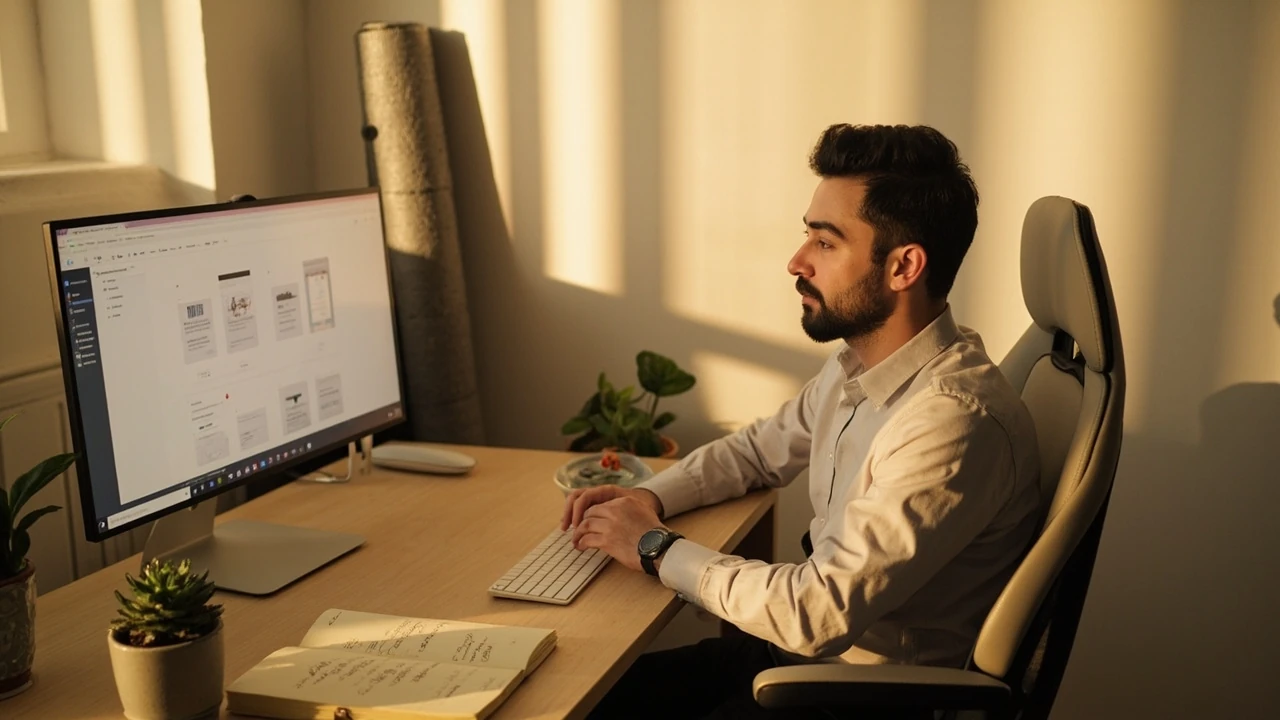
Posture is partly about the body and partly about the environment. A good setup removes the need to fight the desk. The list below covers the elements that most directly affect how a developer sits, breathes, and reaches.
Chair height, seat depth, and back support
When the chair is too low, the knees rise above the hips and the pelvis tucks. When the chair is too high, the feet dangle and the spine loses its base. A simple test is to sit, place both feet flat on the floor, and check whether the thighs are roughly parallel to the ground. If they are not, the chair height is wrong for the body in front of it. The seat depth should leave roughly two fingers of space between the front edge and the back of the knee. A small lumbar support, even a rolled towel, helps the lower back hold its natural curve during long note-writing sessions.
Monitor distance and height
The eyes relax when they look slightly downward, not straight ahead and not up. Place the top of the screen at or just below eye level, and the screen roughly an arm’s length away. This single change often reduces neck and shoulder pain within a week, because the head no longer has to tilt up to read code or design documents.
Keyboard, mouse, and wrist position
Wrists prefer a neutral line, not bent up or out. A flat keyboard, a separate numeric pad moved to the left, and a light mouse reduce the angle the wrist has to hold. Wrists should float, not rest on a hard edge. A soft palm rest can help, but a hard edge under the wrist creates a pressure point that builds tension over a full day of coding and testing.
Lighting and screen glare
Eyes strain when the room is darker than the screen or when glare hits the panel. Position the screen perpendicular to the window, not behind or in front of it. Use a desk lamp that lights the keyboard area without throwing a hotspot onto the monitor. The point is to keep the pupils from constantly adjusting between bright and dim areas during long work blocks.
| Setup element | Developer-friendly target | Common problem it removes |
|---|---|---|
| Chair height | Thighs parallel to floor, feet flat | Pelvis tuck, lower-back compression |
| Monitor | Top at or just below eye level, arm’s length | Neck extension, shoulder hiking |
| Keyboard | Elbows at about 90 degrees, wrists neutral | Carpal tunnel load, forearm fatigue |
| Lighting | Even room light, no glare on screen | Eye strain, pupil flicker |
| Desk depth | Monitor at least 50 to 70 cm from face | Forward head posture |
Breathwork patterns that fit a development day
Breath is the easiest yoga tool to use at a desk because it does not require standing up, taking off a headset, or leaving a meeting. Three patterns cover most of what a developer needs across a working day.
Box breathing for focused work
Box breathing is a simple cycle of four equal counts: inhale, hold, exhale, hold. It stabilises the nervous system and gives the mind a rhythm to return to when a bug is frustrating or a build is failing repeatedly. It is useful at the start of a focused block, before a code review, or after a difficult meeting. Two or three rounds are usually enough. The point is not to slow the body down but to give it a baseline.
Extended exhale for stress recovery
When the day has been tense, a long exhale activates the parasympathetic branch of the nervous system. A simple version is to inhale through the nose for a count of four and exhale through the nose for a count of six or eight. The longer exhale signals the body to stand down. This is helpful after a production incident, a difficult playtest review, or a long debugging session.
Diaphragm breathing for seated posture
Most shallow chest breathing disappears once a person is asked to feel the lower ribs move sideways on the inhale. Sitting tall, one hand on the chest and one on the belly, inhale through the nose and try to keep the upper hand still while the lower hand rises. A few rounds of this resets the breath pattern and lets the spine sit up without muscular effort. It also reduces the feeling of being out of breath after a long sitting block.
| Pattern | Best moment to use it | Effect on the body |
|---|---|---|
| Box breathing | Start of a focused task, before code review | Steady attention, calmer pulse |
| Extended exhale | After a hard bug, a long meeting, a difficult build | Nervous system downshift, easier thinking |
| Diaphragm breathing | Anywhere posture has slipped, before a long sitting block | Spine lengthens, shoulders release |
Posture resets developers can do without leaving the desk
Stretching at a desk is less about flexibility and more about giving the body a different shape for thirty seconds. The list below covers a small routine that takes about five minutes and can be repeated two or three times a day.
- Seated cat-cow: hands on knees, inhale and arch the back gently while looking slightly up, exhale and round the back while drawing the chin in. Five rounds.
- Shoulder rolls: slow circles backward, then forward, ten each direction. Keep the jaw soft.
- Seated twist: place one hand on the opposite knee and the other hand on the chair back, inhale to lengthen, exhale to rotate. Hold for a few breaths each side.
- Wrist circles and finger spreads: ten slow circles each way, then open and close the hands fully. This is especially useful for designers and programmers who use a mouse for hours.
- Standing reach: stand up, reach overhead, gently side-bend to each side for two breaths. This re-stacks the spine after long sitting.
The order matters less than the fact that the routine exists. Guidance from a yoga master in this context is mostly about building a short, repeatable practice rather than designing a perfect sequence.
Eye care for long screen sessions
Game developers look at screens for a living. Designers review art, programmers read code, QA testers run builds, and producers review roadmaps. The eyes absorb all of that. A few small habits reduce the cumulative strain. For the topic Pokémon Legends, the Pok mon Legends places this part of the discussion in context.
- Follow the 20-20-20 rule. Every 20 minutes, look at something about 20 feet away for at least 20 seconds. This relaxes the focusing muscle inside the eye.
- Blink deliberately. Screen work drops blink rate by roughly a third. A few slow, full blinks every few minutes restore the tear film.
- Match room brightness to screen brightness. A bright screen in a dark room forces the pupils to stay small, which tires the eye over time.
- Use a matte screen and a glare-controlled room. Reflections force micro-adjustments that the eye makes hundreds of times per hour.
None of these habits replace an optometry check. They simply reduce the load between visits.
Building a micro-break rhythm that survives a sprint
Most developers know they should take breaks. The problem is that breaks are not built into the work pattern, so they get skipped when the schedule tightens. A more reliable approach is to attach the break to a task, not to a clock.
Pair breaks with task boundaries
When a build finishes compiling, stand up. When a playtest is queued, breathe. When a code review is sent, do a wrist routine. The break is the punctuation between tasks, not a separate event that has to be remembered. This is closer to how a level walkthrough is structured, with clear sections instead of a single continuous climb.
Use short timers only when the work allows it
Pomodoro-style timers work for some tasks and not for others. A 25-minute timer interrupts a debugger mid-trace and a designer mid-iteration. A softer version is a 50-minute block with a 5-minute movement break, or a 90-minute block with two short resets. The timer is a guide, not a rule, and the choice of length depends on the kind of work in front of the developer.
Protect the transition
The first two minutes of a break often decide whether the body actually lets go. Looking at a phone in those two minutes keeps the nervous system engaged. Standing, walking to a window, drinking water, or doing the seated routine above lets the body register the change. This is a small piece of guidance from a yoga master that is easy to miss in a busy production cycle.
Applying the principles to specific developer tasks
Different kinds of work stress the body in different ways. Naming the task makes it easier to choose the right reset.
Programming and debugging
Long stretches of staring at code tend to lock the neck, narrow the breath, and create a tight grip on the mouse. A short break every 40 to 60 minutes that includes wrist mobility, shoulder rolls, and three rounds of box breathing keeps the cycle from spiralling. A short walk away from the desk after a hard bug prevents the next task from starting on a tense baseline.
Design and writing
Designers and writers often sit in their own head for hours. The body forgets it is there. Setting a quiet chime every 30 minutes and using it as a cue to notice the breath, soften the jaw, and check the feet on the floor can change the texture of a long writing session. It is the same idea as a teacher reminding a class to soften the face between held poses.
Art, animation, and technical art
Art and animation work often uses a tablet or a combination of mouse, keyboard, and reference monitor. The shoulder that holds the tablet, the wrist that draws, and the neck that turns between the canvas and the reference all need attention. A standing reach, a chest opener, and a wrist routine are the most useful resets here.
QA and playtesting
QA testers may sit in long sessions running the same build, often with a controller in their hands. The forearms, wrists, and shoulders carry a constant load. The same five-minute routine between runs, plus a slow walk between major test passes, keeps the body out of the way of the work.
Producer and review sessions
Producers spend a large part of the day in meetings. The breath tends to become shallow and the shoulders rise under stress. Starting a meeting with a deliberate slow exhale, and ending it with a chair-based twist, helps the body reset before the next task. Several studios quietly use this kind of small opening ritual.
Common mistakes when developers try to apply yoga
Most failed attempts at bringing yoga into a development routine share the same pattern. The developer signs up for a class, tries a 60-minute session after a long workday, feels sore, and stops. The issue is usually the framing.
- Trying to do too much. A 60-minute vinyasa class is a workout. A five-minute desk routine is a habit. Both are useful, but they are not the same thing.
- Ignoring the breath. Many stretches done with a held breath tighten the body instead of releasing it. The breath is the practice.
- Treating yoga as a punishment. Yoga taught as something the body has to endure makes the nervous system more guarded, not less.
- Forgetting the setup. A perfect routine done in a broken chair still ends in a stiff neck.
The simplest way to avoid these traps is to start with breath and posture, not with a sequence. The sequence can grow later.
A practical daily routine for a developer
The routine below is a reasonable starting point. It assumes a developer who sits at a desk for most of the day, has roughly five minutes between tasks, and wants something repeatable.
- Morning, before the first task: two minutes of diaphragm breathing, then a slow cat-cow sequence and a standing reach. The goal is to wake the spine, not to stretch hard.
- Mid-morning, after the first focus block: two minutes of seated twist, shoulder rolls, and box breathing. The goal is to reset before the next task.
- Midday, after a meeting or a long call: a short walk, then a wrist and forearm routine. The goal is to discharge the tension of sitting in a chair while listening.
- Afternoon, before the second focus block: box breathing and a 20-second eye reset, looking at a distant object. The goal is to clear the head.
- End of day, after the last task: a longer stretch routine, five to ten minutes, including chest opener, hip flexor stretch, and lying-down twist if space allows. The goal is to leave the day with the body more open than it started.
Any of these steps can be removed on a hard day. The point is to keep the sequence light enough that it survives a difficult sprint.
How studios can support this kind of practice
Studios that take body care seriously treat it as part of the production environment, not as a personal hobby. A few practical steps make a difference without requiring a large budget.
- Provide adjustable chairs and monitor arms. The cost is small compared with the cost of a single repetitive-strain injury over a year.
- Offer short, optional movement sessions during the workday. Even ten minutes led by a qualified teacher is more useful than an hour-long class nobody attends.
- Protect break time in the schedule. When a milestone is tight, breaks are the first thing cut. The body pays the interest on that debt later.
- Make eye care easy. Provide matte screen filters, good desk lamps, and clear reminders to look away from the screen.
- Train producers and leads in breath-based stress resets. A meeting that starts with a slow exhale is calmer than a meeting that starts with a status update.
None of this requires a wellness programme, a brand partnership, or a press release. It is a working environment that respects the body the studio depends on.
What a developer should not expect from yoga
It is worth being honest about the limits. Yoga is not a substitute for medical care, an optometry check, or treatment for a diagnosed condition. It is also not a magic productivity boost. The benefits are real, but they are slow. A few weeks of consistent small practice usually show up as fewer headaches, easier breathing, and a less reactive nervous system. They rarely show up as a sudden jump in output. Anyone promising that is selling something.
A related point: a single class is not a routine. The body learns through repetition, not through an intense one-off. The advice below, taken from how long-running projects evolve their training systems, applies here. A consistent small practice compounds. A heroic effort once a month does not.
A short checklist for the next working day
The list below is a compact way to take the ideas above into tomorrow. Treat it as a starting point, not a rulebook.
- Set the chair so the feet are flat and the thighs are parallel to the floor.
- Place the top of the screen at eye level and an arm’s length away.
- Use a soft palm rest or let the wrists float. Avoid hard edges under the wrist.
- Start the first focus block with three rounds of box breathing.
- Pair a short movement break with each natural task boundary.
- Use the 20-20-20 rule for the eyes and blink deliberately a few times per hour.
- End the day with a five-minute reset, not with a slouch in front of one more video.
If a developer does nothing else from this article, those seven points will already change how the body feels at the end of a week.
Frequently asked questions
Is guidance from a yoga master really useful for game developers?
Yes, in the sense that it teaches skills the body already needs during long, sedentary, focused work. Yoga-based attention to breath, posture, and joint stacking translates directly into seated work. It is not a cure for medical conditions, and it does not replace ergonomic equipment, but it is a useful complement to a sensible studio setup.
How long does it take to feel the benefits of these habits?
Small changes such as breath resets, monitor height, and wrist position often show effects within a few days, mainly as reduced end-of-day stiffness. Longer-term benefits, such as a more relaxed baseline and fewer tension headaches, usually appear over a few weeks of consistent practice. As with any daily routine, consistency matters more than intensity.
Do I need a formal yoga class to use this guidance?
No. The most useful habits, such as breath awareness, posture check-ins, and short desk routines, can be self-taught with care. A class is helpful for learning alignment in larger poses, but it is not required for the desk-focused work described here. If a class is appealing, a short beginner course or a 15-minute daily online session is enough.
What if I only have two minutes between tasks?
Two minutes is enough for a box-breath cycle and a shoulder roll. It is also enough to stand up, look out a window, and take five slow breaths. The goal is not to stretch hard. The goal is to interrupt the pattern the body has settled into. A small interruption, repeated often, is what changes the day.
Is it safe to do these routines with a wrist or back injury?
Movements that load an injured area should be skipped or modified until a qualified professional clears them. The breath and posture habits are usually safe, but any stretch that causes sharp or increasing pain should be stopped. Yoga for rehabilitation is a separate practice from yoga for general wellbeing, and a physiotherapist or doctor should be involved in the first case.
Can producers and managers use the same habits?
Yes. Producers and managers carry the same physical patterns as developers, plus the load of frequent meetings. A short breathing reset at the start of a meeting, a chair-based twist between calls, and a longer walk after a difficult review all fit into a producer’s day. Leading a calm opening is also a quiet signal to the team that the studio takes care of its people.
How is this connected to game development specifically?
Game development is a craft that depends on long focus, steady hands, and a clear head. Anything that protects those assets over months of production is part of the production system. The breath, posture, and break habits here are a small, low-cost part of that system, sitting alongside version control, code review, and task planning as a way to keep the work sustainable.
What is the single most useful change to try first?
For most developers, raising the monitor so the top is at eye level is the single highest-leverage change. It removes the need to tilt the head up, which reduces neck and shoulder load across the whole day. Pairing that with a slow exhale before starting the first focus block is a close second, because it sets the nervous system at a calmer baseline for everything that follows.




Leave a Reply