

Borderlands 4 interactive map: what players and tool builders actually work with
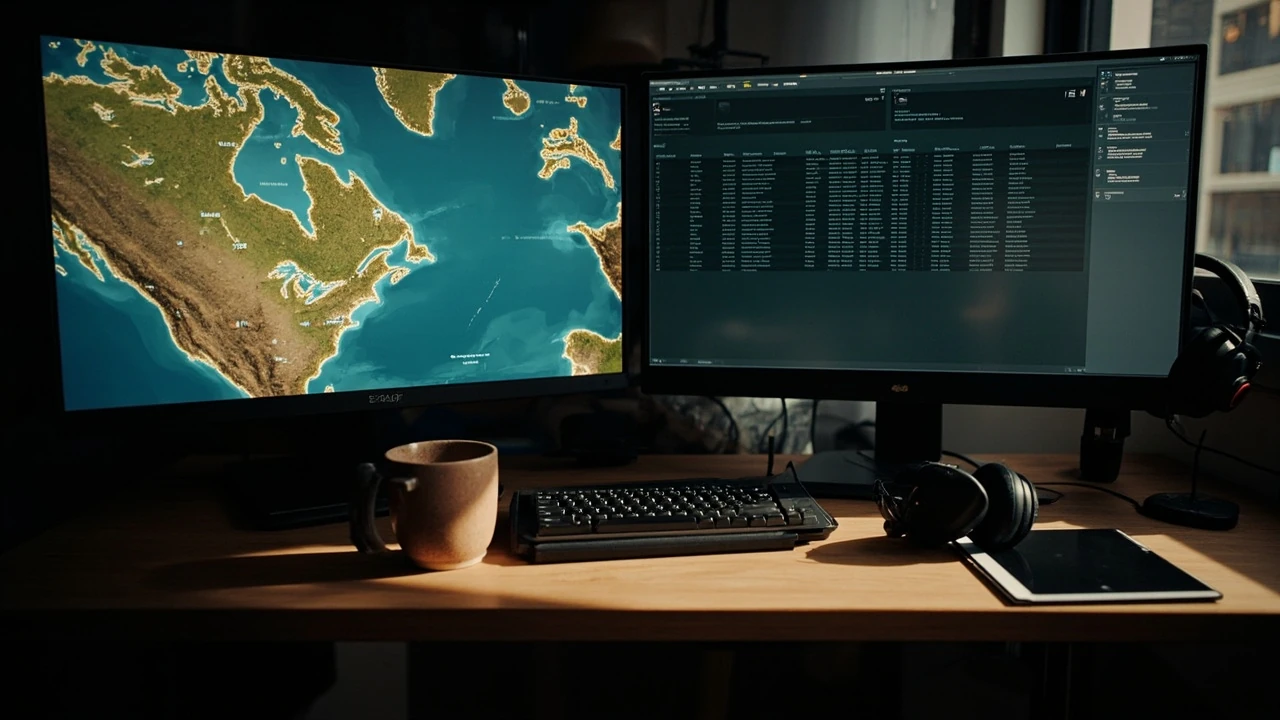
A reliable Borderlands 4 interactive map is rarely a single file drawn by one person. It is a layered information product assembled from a base world mesh, waypoint data gathered by exploration crews, patch-corrected event markers, and a front-end that lets readers filter what they care about. Anyone who has used an interactive map for a live-service shooter or a loot-driven action RPG already knows the experience: a colored pin promises something useful, the legend explains the icons, and a sidebar lets you tick or untick categories so the same canvas can serve a completionist, a speedrunner, or a new player reading the world for the first time.
For a game in the Borderlands series, the underlying problem is the same as for any large open-zone game: the world is too big to memorize, the loot and quest density is high, and updates can move or replace content between patches. The interactive map exists to make that world legible, to give players and tool builders a shared spatial reference, and to keep that reference current as the game changes. The rest of this article walks through the structure of a typical Borderlands 4 interactive map, the workflows the people who build them actually use, the ways players read and trust them, and the engineering trade-offs that determine what the map can and cannot do.
How a Borderlands 4 interactive map is usually structured
Most community cartography projects for big open-zone games follow a similar anatomy. The pieces below describe the parts that show up again and again, adapted to what a Borderlands title needs: large biome regions, dense loot and quest content, vehicle traversal, and frequent tuning updates.
Base world mesh and coordinate system
At the bottom of the stack is a 2D or 3D representation of the world. For a top-down interactive map, the mesh is usually flattened into a single image with consistent scale. For a 3D map, the mesh preserves elevation and is rendered with a tilted camera. Either way, the map needs an internal coordinate system that mappers and tools can agree on. Common choices are a normalized 0 to 1 space, an arbitrary tile grid, or a real-world scale in meters or feet measured from a fixed origin inside the playable area.
Without a stable coordinate system, every icon drifts when the image is updated. With one, mappers can paste coordinates into spreadsheets, share findings in chat, and have their pins land in the right place on the canvas.
Marker layers and categories
Markers sit on top of the base mesh. A serious project treats them as named layers rather than a single pile of pins, because the audience for each layer is different. Examples for a Borderlands 4 interactive map include:
- Quest start points and turn-in NPCs, which matter for progression but clutter the view for a loot hunter.
- Chests, red chests, and named containers, which matter for loot runs but confuse a new player following the story.
- Vending machines, ammo dumps, and respawn points, which matter for survival in higher difficulty modes.
- Fast travel stations and vehicle spawn pads, which matter for route planning but stay visible even when other layers are hidden.
- Collectibles, audio logs, and lore items, which matter for completionists and rarely need to be shown by default.
- World events, boss spawns, and timed encounters, which change with patches and need a layer that can be revised without touching the static layers.
Layering is what allows the same canvas to behave like a quest guide, a loot atlas, or an event tracker depending on which boxes the user ticks.
Filter and search front-end
Layers are only useful if the front-end can show, hide, and search them. The minimum viable filter is a list of checkboxes and a text box that searches marker names. A more capable filter also supports region scoping, so a player can ask for all chest markers inside a specific biome, and difficulty scoping, so a player can restrict the view to content available at their current level or in their current game mode.
Patch and version metadata
Because a Borderlands title typically receives balance patches and content updates, an interactive map needs a way to record which patch each marker corresponds to. The simplest approach is a build date and patch label displayed prominently in the corner. A more rigorous approach stores a patch ID on each marker and exposes it in the tooltip, so a player reading a guide can tell whether a tip is from launch week or from a recent hotfix.
Where the data actually comes from
The most common question from first-time mappers is where the data comes from. The honest answer is that it is built up over time by a small number of dedicated volunteers, supported by a wider crowd that reports errors.
Solo exploration runs
The base mesh usually starts as a stitched set of screenshots or an asset ripped from a personal capture, then cleaned and aligned. Markers are added by a mapper who walks the world with a coordinate logger, drops a pin whenever they find something interesting, and writes a short note describing what is at that location. Solo runs are slow but produce high-quality, verified markers, because the mapper can describe the encounter in their own words.
Multiplayer scouting parties
To cover ground faster, mapping groups run coordinated scouting parties. Each player takes a section of the map, agrees on a coordinate format before the session, and reconvenes in a shared channel to merge findings. This is where tools like Discord threads, shared spreadsheets, and screen-share sessions become part of the map’s production pipeline.
Community reports and corrections
Once a map goes live, the mapper does not stop working. Players who visit a pin and find that the chest is gone, the NPC has moved, or the event no longer spawns will report it. A healthy Borderlands 4 interactive map treats these reports as raw material: each report is reviewed, confirmed, and either corrected in place or flagged as unverified until a second player confirms it.
Data dumps and tooling extras
Some mapping teams also use text-based data dumps: log files, save file parsing, or community tools that list interactable objects in a region. These dumps are useful for finding things that are easy to miss in person, such as a container hidden on a rooftop or a spawn point that is only active during a specific event. They are not a substitute for in-game verification, but they speed up the scouting pass.
A practical mapping workflow for a Borderlands 4 interactive map
The workflow below is the one that tends to survive contact with reality on large open-zone projects. It is not the only valid one, but it covers the choices that a small team has to make early on and live with for the lifetime of the project.
- Define scope and audience. Decide whether the first release will focus on story-critical content, loot content, or collectibles, and which audience that first release serves. Trying to ship every category at once usually means shipping none of them well.
- Lock the base mesh and coordinate system. Pick the source of the world image, the alignment method, and the coordinate format. Write a one-page reference so new mappers do not reinvent the format every session.
- Author a marker schema. Define what fields each marker carries, such as name, layer, region, difficulty, patch ID, and free-text notes. A consistent schema is what later makes filtering and search possible.
- Run a baseline pass. Walk or drive the entire playable area, dropping a marker for every discoverable item. Resist the urge to clean up wording during the baseline pass; speed of coverage matters more than prose at this stage.
- Review and label. After the baseline, a second pass adds proper names, screenshots, and short notes. This is also the moment to assign each marker to a layer and a region.
- Build the front-end filters. With a populated data set, the filter design becomes concrete. It is much easier to design filters when you can see what the data actually looks like than to design them in the abstract.
- Publish a labeled beta. Release the map with a visible build label and a feedback channel. Encourage players to report markers that look wrong, missing, or out of date.
- Patch the markers, not just the labels. When balance changes move or remove content, update the marker layer and bump the build label. The label is the player’s only signal that the map is current.
Reading the map as a player
From the player’s side, the value of a Borderlands 4 interactive map depends less on how it is built and more on how it is read. A few habits help.
Start with the layer toggle, not the full view
Opening an interactive map with every layer on at once is overwhelming. A better first move is to hide everything except the layer that matches your current goal: quest turn-ins if you are following the story, chests if you are grinding loot, fast travel stations if you are planning a route, or events if you are hunting a specific boss spawn.
Trust the patch label, not the icon
Icons can be wrong for many reasons. The patch label is a single piece of metadata that the mapper controls directly, so it is a more reliable indicator of how current the data is than the shape or color of any individual pin.
Cross-check unverified markers
Markers flagged as unverified, or markers without screenshots, deserve a second look in-game before you plan a route around them. A small amount of skepticism saves time, especially in a loot-driven game where the cost of a wasted trip is real.
Engineering trade-offs that shape the map
The choices that determine what an interactive map can do are made long before the first pin is dropped. The trade-offs below recur in most community projects of this type.
Image-based versus vector rendering
An image-based map is fast to build and easy to host, but it does not scale smoothly and it cannot adapt to new content without re-exporting tiles. A vector-based map is more flexible and can support features like custom route lines and dynamic clustering, but it requires a more capable front-end and more discipline in the data layer. The choice usually depends on whether the team wants a quick reference card or a long-lived platform.
Static files versus live data
A static file, such as a single image plus an overlay, is simple to host and easy to mirror. A live data setup, with a back end and a database, can support user contributions, live event markers, and personal route saving. The cost is operational: a live setup needs hosting, a moderation workflow, and a way to back up user data. Most volunteer projects start static and migrate to live only when the user demand justifies the overhead.
Open versus curated data
Open data, where anyone can add markers, scales faster but accumulates noise. Curated data, where a small team reviews every addition, stays accurate but grows slowly. The best projects usually run a hybrid: an open submission form feeds a private review queue, and only approved submissions reach the public map.
Performance versus detail
A dense marker layer is informative on a desktop monitor and unusable on a phone. The fix is not to remove markers, but to cluster them at low zoom levels and only show individual pins when the player zooms in. Clustering is a small piece of code with a large effect on how the map feels.
Planning routes with a Borderlands 4 interactive map
Route planning is where the map pays for itself. The pattern is the same whether you are running a chest loop for a specific weapon, planning a boss rush, or stringing together side quests in a region you have not visited before.
- Pick the goal. Choose one of: a specific item, a specific quest, a specific boss, or a region completion target. The goal determines which layer to enable and which filter to apply.
- Scope the layer. Filter markers to the region or difficulty band that matches your current character. Disable everything else to keep the canvas readable.
- Trace a path between pins. Start from the nearest fast travel station, then walk the shortest line that visits the highest-value pins. Group pins that are physically close so you do not retrace steps.
- Identify a fallback. Mark one or two pins as optional so that, if a chest is empty, an NPC is missing, or an event is not active, you can skip them and still finish the loop in a reasonable time.
- Save and label the route. If the front-end supports it, save the route under a name you will recognize later, such as a date, a character build, or a specific loot target. Routes are easier to revisit when they are labeled with intent rather than with coordinates.
What changes between patches, and how maps keep up
Borderlands titles are known for post-launch tuning. New weapons, balance passes, and seasonal content all move markers around. A Borderlands 4 interactive map has to plan for this from the start.
Content that tends to move
Quest NPCs sometimes shift location between patches, especially if a quest is reworked. Chest loot pools change more often than chest locations, which means a marker for a chest is usually stable while a marker for a specific drop inside the chest is not. Event markers are the most volatile: a timed event can be moved, retuned, or temporarily disabled in a single patch.
Content that tends to stay
Region boundaries, fast travel stations, and respawn points are usually stable. Lore collectibles, when they are tied to exploration rather than to events, also tend to stay put. A mapper can use these stable layers as a skeleton and update the volatile layers on top.
How mapping teams handle patch days
On patch day, the priority list for a mapping team is usually: confirm that the build label is updated, walk the event layer and re-verify timed content, re-verify any chest markers whose loot was advertised as changed in the patch notes, and leave the stable layers alone. Trying to recheck the whole map on patch day is a recipe for burnout, so most teams triage by volatility.
Common failure modes and how to spot them
Every interactive map inherits the same kinds of bugs. The table below lists the ones that show up most often, what causes them, and how a player can work around them until the map is updated.
| Symptom | Likely cause | What the player can do |
|---|---|---|
| A pin points at empty ground, a wall, or a roof | Marker was placed at the wrong zoom level or coordinate format changed between sessions | Search the area at ground level; report the pin with a screenshot |
| A chest marker shows up but the chest is not present | Container was removed or moved in a recent patch, or it is part of a timed event that is not active | Check the patch label on the map; if recent, treat the marker as unverified |
| The map looks correct, but the filter does not return what you expect | Filter is scoped by region, difficulty, or mode, and the player is outside that scope | Clear the scope, widen the layer, and retry |
| Performance drops when many markers are visible | Too many pins on screen at once, especially on mobile | Hide non-essential layers, or zoom in to trigger clustering |
| A boss marker points to a spawn that is empty | Boss has a respawn timer, a schedule, or a trigger condition that the map does not encode | Check the tooltip notes; if none, treat the marker as advisory rather than authoritative |
| Two pins describe the same location | Mappers added the same content in two passes without merging | Use the pin with the more recent build label and ignore the duplicate |
Designing markers that age well
A few habits make markers easier to maintain across patches and across mappers. The list below is short on purpose: every additional rule is one more thing a new mapper has to learn.
- Use names that match the in-game label. Renaming a marker “Vault Chest 12” makes it hard to find later; using the in-game name keeps the search box useful.
- Record the patch ID on the marker itself, not just in the build label. This makes it possible to filter out tips that are no longer accurate without losing the historical record.
- Write notes as facts, not opinions. “Locked door, key from side quest” is more useful over time than “Cool loot, definitely worth it.”
- Keep the schema small. A handful of well-defined fields beats a sprawling form that nobody fills in completely.
- Take screenshots only when they add information. A screenshot of a chest on flat ground is rarely as useful as a screenshot of a chest on a rooftop that is hard to reach.
Where a Borderlands 4 interactive map fits in a player’s broader toolkit
An interactive map is one tool among several. A useful workflow combines it with the in-game map, with build guides, and with community discussion, because each source has a different failure mode. The table below sketches how those sources compare on a few dimensions that matter when you are planning a session.
| Source | Best for | Weakness | Update cadence |
|---|---|---|---|
| In-game map | Orientation, fast travel, current objective | Limited filtering, no loot detail | Patched with the game |
| Community Borderlands 4 interactive map | Loot runs, route planning, completion tracking | Quality varies by mapper team | Updated by volunteers, often within days of a patch |
| Build guides and theorycrafting write-ups | Understanding why a route or weapon is worth running | Go stale when numbers change | Updated on a personal schedule, often after major patches |
| Community chat and forums | Real-time tips, patch-day impressions, niche tricks | Hard to search, easy to misread | Continuous |
| Official patch notes | Authoritative source on what changed | Do not explain how to use the changes | Patched with the game |
The point of the table is not to rank sources but to show why a serious player keeps more than one open. The interactive map gives spatial coverage, the in-game map gives orientation, the build guide gives intent, the patch notes give authority, and the chat fills in the texture that none of the others capture.
A short checklist before you plan a session around a map
Before you plan a session around a Borderlands 4 interactive map, a short checklist prevents most of the wasted time that comes from trusting a stale layer.
- Confirm the build label on the map and compare it to the current game patch.
- Enable only the layer that matches your current goal and disable the rest.
- Scope the filter to the region and difficulty band that match your character.
- Identify one or two optional stops so a missing pin does not break the route.
- Cross-check any marker flagged as unverified before you invest time in it.
- Keep a fallback plan, such as a fast travel loop, for when the route falls apart.
Frequently asked questions
What is a Borderlands 4 interactive map?
A Borderlands 4 interactive map is a community-built tool that overlays markers such as quests, chests, fast travel stations, and events on top of a representation of the game world. It usually includes filters so a player can hide everything except the layer that matches a specific goal, and a patch label so the reader knows how current the data is.
How is a Borderlands 4 interactive map different from the in-game map?
The in-game map is built by the developers, ships with the game, and is updated with each patch. It is authoritative for orientation, fast travel, and current quest objectives, but it offers limited filtering and little detail about loot, collectibles, or events. An interactive map is a third-party product that focuses on the spatial relationships between markers, supports custom filters, and is updated by a volunteer team on a separate schedule.
Who usually builds a community interactive map for a Borderlands game?
Most projects are run by a small core of volunteers who handle scouting, schema design, and review, supported by a wider group of players who report corrections. The core team tends to be experienced with the genre, comfortable with a coordinate system and a shared data file, and willing to spend sessions walking the world and writing notes that other players will read later.
How long does it take to build a useful Borderlands 4 interactive map?
A useful first release usually appears within a few weeks of launch, once the base mesh is in place and a baseline pass has covered the most-visited regions. A complete map, with stable layers for every region and a reviewed version of every volatile layer, is a long-running project that continues for the life of the game.
How do mappers verify a marker that other players report as wrong?
The standard workflow is a second in-game visit by a different mapper, ideally with a different character or build, to confirm whether the marker is still accurate. If the second visit agrees with the player report, the marker is updated, hidden, or flagged as unverified depending on the cause. A single report is rarely enough to change a marker, because a missing chest or a quiet event can be a temporary state rather than a permanent change.
Why do some markers show a patch ID and others do not?
Markers that include a patch ID are tied to a specific build of the data, which makes it possible to filter tips that are no longer accurate. Markers without a patch ID usually come from an earlier stage of the project, before the schema added the field, or from a contribution flow that does not capture the field. When in doubt, the patch label on the map itself is a reasonable proxy for the patch ID on each marker.
Can an interactive map help with loot runs, or is it mostly for completionists?
It can help with both, because the same map serves multiple audiences depending on which layers are visible. A loot runner enables the chest layer, scopes it to a region, and traces a route between high-value pins. A completionist enables the collectible and lore layers and uses the same map to track what is left. The front-end does the work of switching between audiences; the data underneath is shared.
What should a player do when an interactive map and the in-game world disagree?
The in-game world is authoritative. The map is a snapshot maintained by volunteers, and a disagreement is most often a sign that the game has been patched and the map has not caught up. A useful first step is to check the patch label on the map and the patch version of the game, and to report the disagreement so the mapping team can review it.
Are interactive maps for Borderlands titles safe to use, and do they violate any rules?
Reading a community map and using it to plan a route is the same kind of activity as reading a written guide or watching a video walkthrough. Mapping projects that extract assets directly from the game, distribute copyrighted material, or sell access to their data can run into issues with the publisher’s terms of service, and a careful project avoids those practices. A community map that records coordinates, screenshots, and notes without redistributing game files is generally treated the same as any other fan guide.
How can a player help improve a Borderlands 4 interactive map?
The most useful contribution is a specific report: the marker in question, what was expected, what was found, the patch version of the game, and a screenshot if possible. Vague reports are harder to action than specific ones, and a single specific report is often enough for a mapper to fix a marker that has been wrong for weeks.


Leave a Reply